Running maintenance for one building is a job. Running it for twenty locations is a different job entirely. Every site has its own way of reporting problems, its own contractors and its own idea of what “urgent” means. Head office usually finds out about a problem when a customer complains or a manager escalates it.
Here is how to bring multi-site facility maintenance into one process, so every location reports the same way and you can see what is broken, where, and for how long.
The common problems across many locations
- Every site does it differently. One uses email, one a paper log, one a group chat.
- No single view. Nobody can answer “how many open repairs do we have?” without phoning around.
- Contractors with too much or too little access. Either they see everything, or they rely on phone calls.
- No comparison. You cannot tell whether one site has more problems or just reports more.
- No proof. A contractor says a job is done. Was it?
1. One way to report, at every site
Standardise reporting first. Whatever the method, it must be the same at every location and easy enough that anyone uses it. QR labels on equipment and rooms work well because they need no training: scan the label, pick the problem, send. The location and the equipment are attached automatically, so reports from different sites always arrive in the same format.
2. One queue, filtered by location
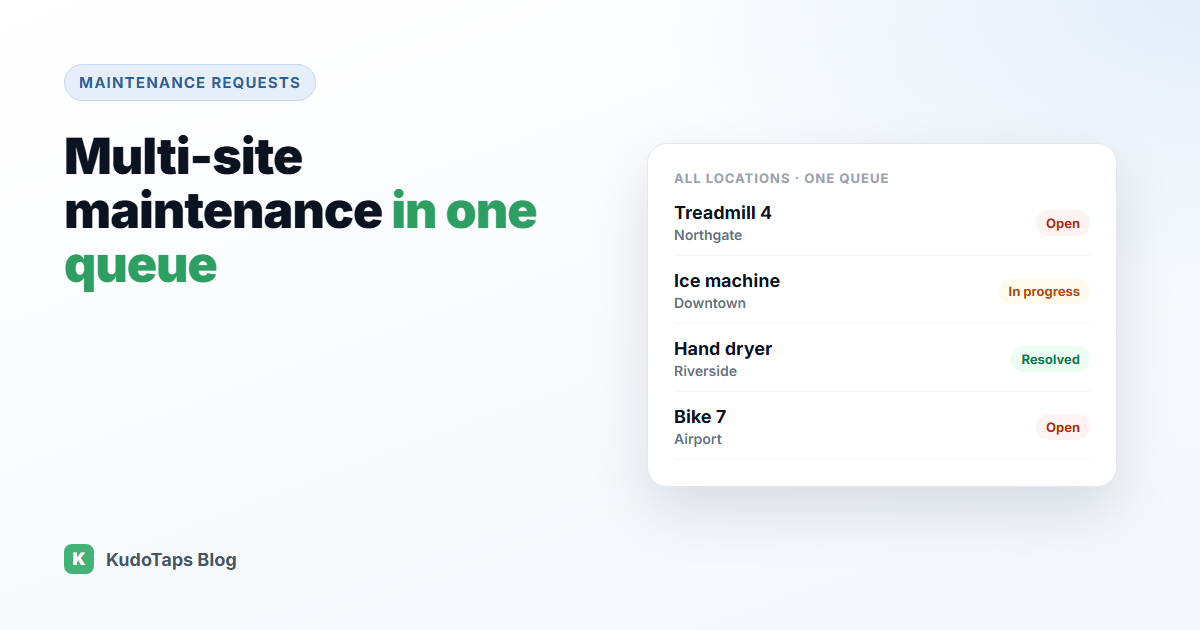
Every request from every site should land in one queue. Head office sees everything. Each location manager can filter to their own site. Regional managers see their region. That single list is the foundation for everything else.
3. Give each technician and contractor the right scope
Facilities teams often mix in-house technicians, regional engineers and local contractors. Each should see the requests for the sites they cover, and nothing else. This keeps the queue focused for them and keeps other sites’ information private.
4. Ask for proof of repair
Before and after photos settle most disputes about whether a job was done properly. They also help when a problem comes back, because the next technician can see what was done last time.
5. Compare locations fairly
A big site will always have more requests than a small one. To compare fairly, look at requests per piece of equipment, typical fix time, and repeat failures by location. The site with slow fixes and many repeats is where to focus, whatever its raw count.
6. Report upward simply
Leadership does not need every request. They need a few numbers each month: open requests and how old they are, typical fix time, the slowest repairs, and whether the queue is growing or shrinking. Keep it the same each month so trends are obvious.
How KudoTaps runs multi-site maintenance
KudoTaps Maintenance Requests is priced per location, with unlimited users, which suits groups with many sites and many contractors:
- QR labels at every site. Anyone can report a problem, with no app or account, and up to two photos.
- One queue for every location, filtered by location, status or equipment tag, with a search box.
- Technicians and contractors limited to their own locations, notified by email when assigned.
- Before and after photos and an activity log on every request.
- Reports by location: median fix time, 90th percentile, requests per machine, repeats within 30 days, ageing, and reported vs fixed per week.
See multi-site maintenance management, contractor and technician access and maintenance reporting for head office.
Frequently asked questions
How do you manage maintenance across multiple locations?
Use one reporting method everywhere, one queue for all requests, clear ownership for each job, and a monthly comparison of locations on the same measures.
How do I give contractors access to only some locations?
Choose a system that lets you limit each user to specific sites. In KudoTaps, each technician is limited to the locations shared with them.
What maintenance KPIs should head office track?
Open requests and their age, typical fix time, the slowest repairs, repeat failures, and whether more requests come in than are closed.
Does maintenance software charge per location or per user?
It varies. Many CMMS products charge per user. KudoTaps charges per location with unlimited users, so adding contractors costs nothing extra.
Every location’s repairs in one queue
Same reporting at every site, contractors scoped to their own locations, and reports that compare fairly.