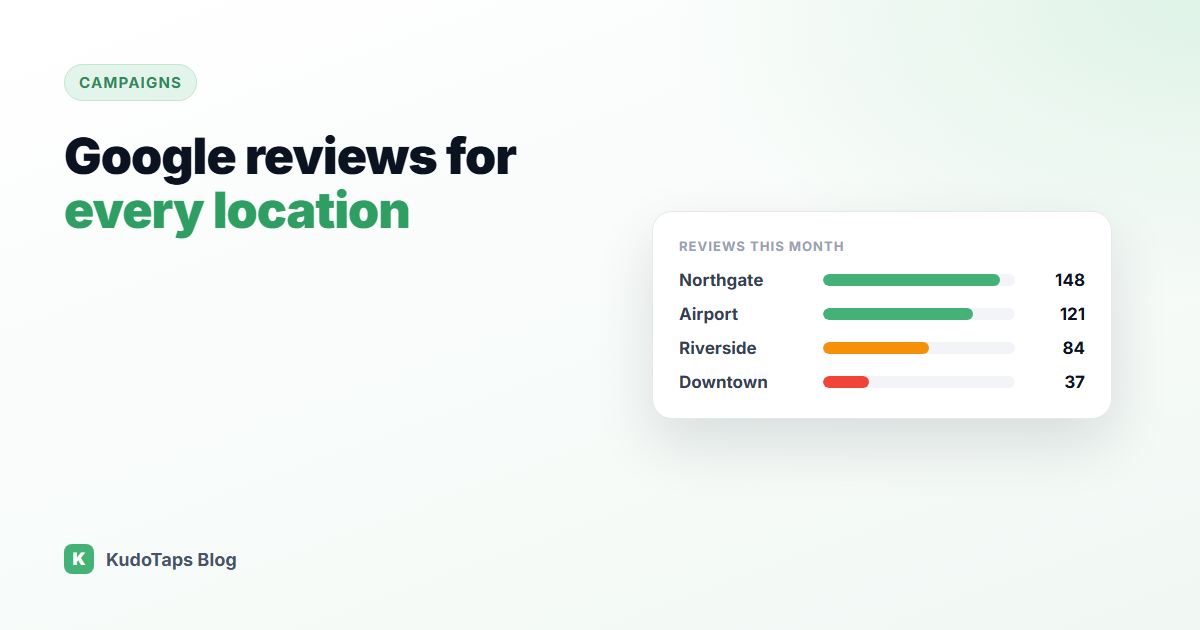
If you run one location, managing Google reviews is a habit. If you run twenty, it is a system problem. Every location has its own Google Business Profile, its own star rating and its own map listing. A customer searching “gym near me” or “car wash near me” never sees your brand average. They see the rating of the one location closest to them.
That is why the weakest location in your group sets the first impression for everyone who lives near it. This guide covers how to get a steady flow of reviews at every site, how to spot the locations falling behind, and how to stay on the right side of Google’s review rules while you do it.
Why reviews are harder with many locations
The problems multi-location businesses describe are nearly always the same:
- Uneven effort. One manager asks every customer for a review. Another never does. The ratings drift apart and nobody at head office knows why.
- Wrong links. Staff share the brand’s main listing, or an old link, so reviews land on the wrong location or nowhere at all.
- No visibility. Checking forty Google profiles one by one is nobody’s job, so it does not happen until a rating has already dropped.
- Old printed material. A review sign with a hard-coded link cannot be fixed without reprinting it at every site.
Step 1: Give every location its own review link
Each Google Business Profile has a direct “write a review” link. You can find it inside the profile under Ask for reviews or Share review form. Collect one link per location in a single sheet, with the location name beside it. This sheet is the foundation for everything else. If a link points at the wrong profile, every review collected from it is wasted.
Do the same for Yelp and Tripadvisor if those platforms matter in your category. Hotels and restaurants often need all three.
Step 2: Put the ask where the experience happens
The best moment to ask is while the customer is still on site and the experience is fresh. Follow-up emails work, but they compete with everything else in the inbox. A code at the counter, the exit, the table or the front desk catches people at the right time.
For a chain, the catch is that each location needs a different code, one that opens its own listing. A single brand-wide QR code sends everyone to the same place, which is exactly the problem you are trying to solve.
Step 3: Make the experience the same everywhere
Consistency matters more than clever wording. Use the same sign, the same placement and the same line for staff at every location, so a difference in results reflects the location and not the poster. A short script helps: “If you had a good visit, there is a code right here to leave us a review. It takes about thirty seconds.”
Step 4: Stay inside Google’s rules
Google’s policies prohibit review gating, which means asking how someone felt first and only sending happy customers to Google. The FTC’s 2024 rule on consumer reviews also treats suppressing negative reviews as deceptive. Both put the business at risk, not the software vendor.
The safe approach is simple: every customer gets the same options. You can offer a private way to reach you alongside the public review link, as long as the customer chooses and the public option is always there for everyone.
Step 5: Compare locations, not just totals
A brand-level review count tells you very little. What you want is a table with one row per location: scans, reviews started and private messages received, over the same period. The locations at the bottom of that table are where a manager conversation or a better sign placement will pay off fastest.
Review the table monthly. Look for locations that changed, not just locations that are low. A site that dropped after a staffing change tells you something a static ranking never will.
How to run this with KudoTaps Campaigns
KudoTaps Campaigns were built for this exact job. You set it up once and every location gets its own code:
- Save each location’s review links. Paste the Google, Yelp or Tripadvisor link for each location, or use the built-in Google Places finder to look it up.
- Create a Smart Review campaign. Pick the locations and the system makes one QR code per location, each opening that location’s own review page.
- Send the posters. Every location gets a ready-to-print poster with its own code, emailed to that location’s address. You can also upload your own design and the system places each location’s code on it.
- Watch the results by location. The campaign page shows scans per location side by side, and the full ratings sit in the Smart Review report.
With Smart Review, every customer sees the same choice: leave a public review, or send you a private message. The customer decides, never the software. If a review link changes, update it once and every printed code follows, with no reprint.
For a deeper walkthrough of the setup, see Google reviews at every location.
Frequently asked questions
Can I use one QR code for all my locations’ Google reviews?
You can, but reviews will all land on one listing, and you cannot tell which location sent them. One code per location keeps every review on the right profile and lets you compare sites.
Is it allowed to ask customers for Google reviews?
Yes. Google allows you to ask for reviews. What it prohibits is offering incentives for reviews and filtering who gets asked based on how happy they are.
How often should I check reviews across locations?
Respond to new reviews within a few days. Look at the location comparison monthly, so a slipping site gets attention before its rating moves.
What if a location’s Google listing changes?
With a dynamic QR code you update the saved link and the printed code keeps working. With a static code you have to reprint it.
Reviews at every location, set up in about a minute
One campaign, one code per location, a poster for each site and results side by side.