Ask any operations manager how maintenance requests reach them and you will usually hear a mix: a paper log at reception, a WhatsApp group, emails to whoever seems responsible, and a lot of “I told someone last week.” Requests get lost, the same fault gets reported three times, and nobody can say how long things take to fix.
A maintenance request system replaces that with one path: a problem is reported, lands in one queue, gets assigned, gets fixed and gets closed. Here is how to set one up that people actually use, from the person who spots the problem to the technician who fixes it.
What a maintenance request system needs to do
- Make reporting effortless. If reporting takes more than a few seconds, people will not do it.
- Capture the right details. Which machine, which location, what is wrong, and ideally a photo.
- Put everything in one queue. One list, not five inboxes.
- Assign and track. Each request has an owner and a status.
- Close the loop. The person who reported it hears that it was fixed.
- Report on it. How long fixes take, and which equipment keeps failing.
Step 1: Decide who can report
This is where most systems go wrong. If only staff with a login can submit a maintenance request, the people who actually find problems, members, guests, tenants, cleaners and front-line staff, have to find someone else to tell. Each hand-off loses detail and time.
The better rule: anyone who sees the problem can report it, without an app or an account.
Step 2: Make the request form short
A good maintenance request form asks for very little, because the system should already know most of it:
- What is it? Known automatically if the report starts from the equipment itself.
- Where is it? Also known automatically.
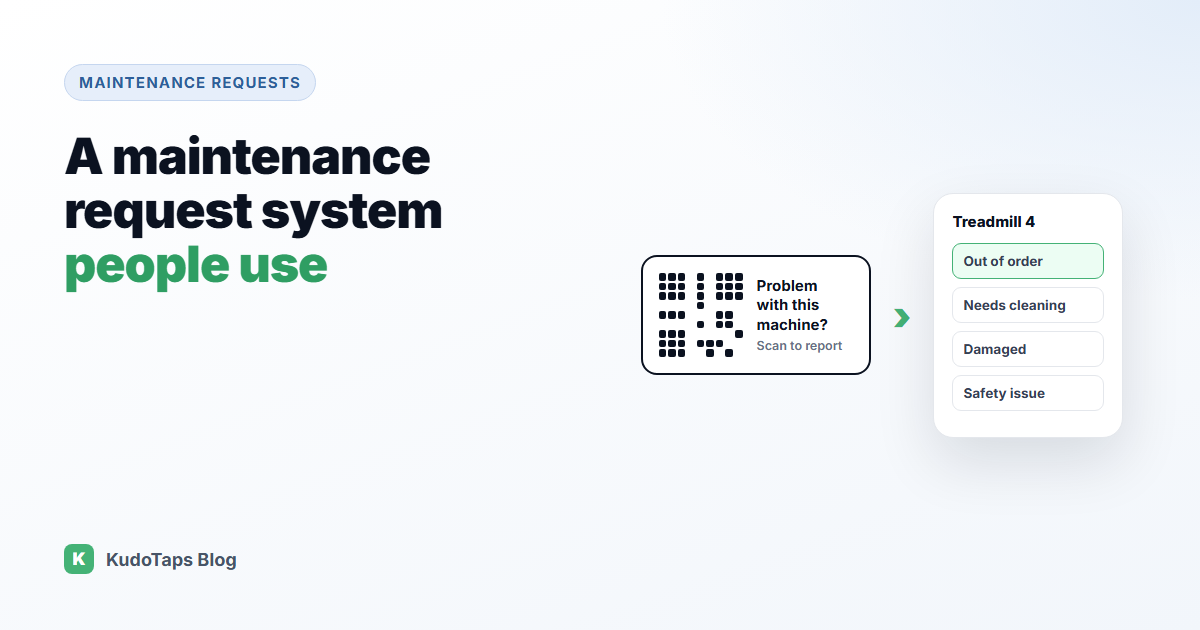
- What is wrong? A few big buttons: out of order, needs cleaning, damaged, safety issue, something else.
- Anything to add? An optional note and an optional photo.
- Want an update? An optional email address.
Step 3: Start the report from the equipment
The fastest way to know which machine and which site is to put a QR code label on each piece of equipment. Scanning it opens the request form with the machine and location already filled in. Nobody has to describe “the second treadmill from the left at the north branch.”
For rooms and areas rather than machines, a label on the wall works the same way.
Step 4: Agree statuses and priorities
Keep it simple. Three statuses cover almost every case: Open, In progress and Resolved. Three priorities are enough too: Low, Normal and High. Safety issues are always high. More categories feel thorough but slow everyone down.
Step 5: Assign every request
A request without an owner is a request nobody is working on. Assign each one to a technician, in-house or a contractor, and make sure they get notified. If you work with outside contractors, give them access only to the locations they cover.
Step 6: Close the loop and keep a record
When a request is resolved, record what was done and, if possible, an after photo. Tell the reporter it is fixed. That one email is what makes people bother to report next time. Over time, the history of each machine becomes your best guide to what to repair and what to replace.
How KudoTaps Maintenance Requests does this
KudoTaps Maintenance Requests follows exactly this flow:
- QR labels on equipment. Add equipment by hand, import a spreadsheet, or print blank numbered labels and name each one by scanning it.
- Anyone can report. No app and no account. The reporter picks the problem type, adds a note and up to two photos.
- One queue for every location, with Open, In progress and Resolved statuses and Low, Normal and High priorities. The location and the owner are emailed when a request comes in.
- Assign technicians and contractors, each limited to the locations they cover. They get an email when assigned.
- Before and after photos and an activity log on every request.
- The reporter is emailed when the request is resolved as fixed, cleaned or replaced, if they left an email.
See how it works or the QR code maintenance requests use case.
Frequently asked questions
What should a maintenance request form include?
The equipment, the location, the type of problem, an optional note and photo, and an optional email for updates. If the form starts from a QR label, the first two are filled in for you.
How do I get staff to actually submit maintenance requests?
Make it take seconds, let anyone report without logging in, and tell people when their report is fixed.
Can customers or guests submit maintenance requests?
With a QR label on the equipment, yes. They scan it with their phone camera and report the problem without an app or account.
Do I need a CMMS to manage maintenance requests?
Not always. If you mainly need reporting, assignment and tracking, a simpler tool may be enough. Read do you need a CMMS for an honest comparison.
Let anyone report a problem in seconds
QR labels on your equipment, one queue for every location, and unlimited technicians.