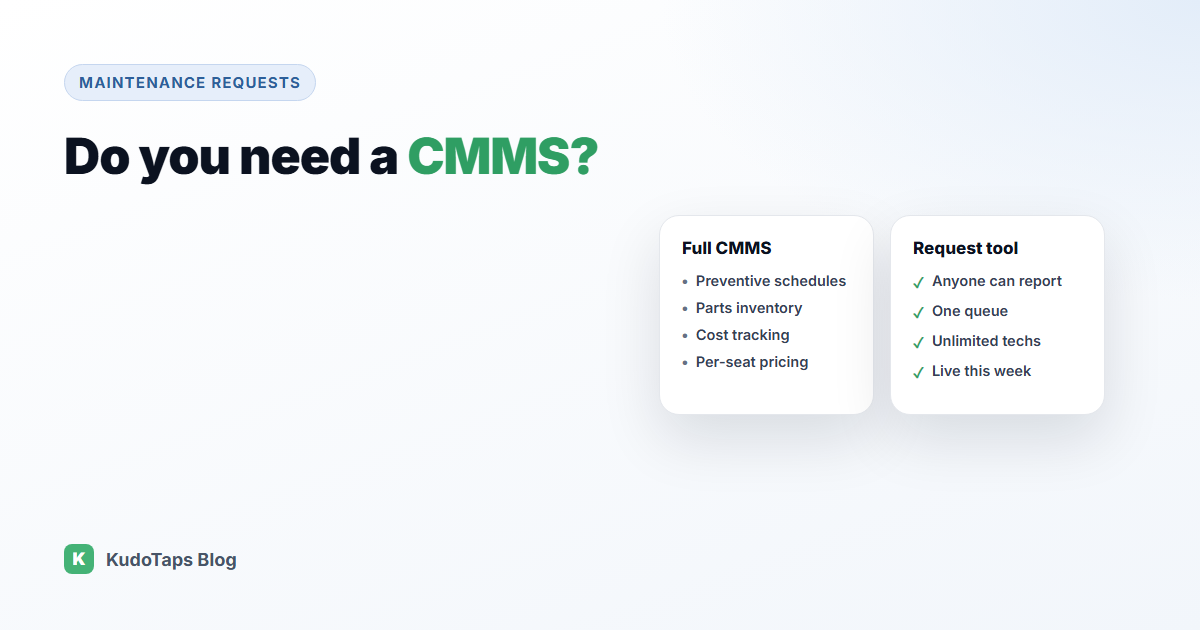
Search for maintenance software and almost every result is a CMMS, a computerized maintenance management system. They are powerful, and for some organisations essential. They are also often priced per technician seat, take weeks to set up, and come with features many teams never touch.
So do you need a CMMS, or would a simpler maintenance request tool do the job? Here is an honest way to decide, including the cases where the answer is “yes, buy the CMMS”.
What a CMMS does
A full CMMS typically covers:
- Work orders: creating, assigning and closing maintenance jobs.
- Preventive maintenance: schedules that generate jobs automatically, every month or every so many running hours.
- Asset register: every piece of equipment with its history, warranty and documents.
- Spare parts and inventory: stock levels, reorder points and purchasing.
- Labour and cost tracking: hours and spend per job and per asset.
- Integrations: with ERP, accounting or building systems.
- Compliance records: audit trails for regulated inspections.
You probably need a CMMS if…
- Most of your maintenance is planned, on schedules set by manufacturers or regulators.
- You run production equipment where downtime stops output, such as manufacturing lines.
- You manage a spare parts store and need stock control.
- You need cost accounting per asset for budgeting or capital planning.
- You work under regulated inspection regimes that require detailed records.
- You need the system to integrate with other business software.
If several of these describe you, a CMMS is the right tool, and a simple request system will feel too thin.
You might not need a CMMS if…
- Most of your maintenance is reactive: something breaks, someone reports it, someone fixes it.
- The people who spot problems are customers, members, guests or front-line staff, not technicians with a login.
- Your biggest pain is requests getting lost, not planning or parts.
- You run many smaller sites, such as gyms, retail stores, restaurants or offices, rather than one large plant.
- You want something running this week, not after an implementation project.
- Paying per technician seat makes it expensive to include contractors and part-time staff.
The hidden cost: who can report
Most CMMS products are built around licensed users. The people who notice a broken machine or a leaking tap often do not have a seat, so they have to find someone who does. That hand-off is where many requests get lost, and it adds hours or days to every repair.
A request-first tool flips this: anyone can report, by scanning a label on the equipment, and only the people fixing things need to sign in.
Questions to ask before you buy
- What share of our maintenance is planned versus reactive?
- Who finds most problems, and can they report without a licence?
- How many technicians and contractors need access, and what will that cost per seat?
- Do we actually need parts, costing and integrations, or are they nice to have?
- How long until the system is in use at every site?
Where KudoTaps fits, honestly
KudoTaps Maintenance Requests is a request and tracking tool, not a full CMMS. Here is what it does and does not do.
What it does:
- QR labels on equipment, so anyone can report a problem with no app or account, with up to two photos.
- One queue for every location, with statuses, priorities and assignment.
- Unlimited technicians and contractors on the plan, each limited to the locations they cover.
- Before and after photos, an activity log, and an email to the reporter when it is fixed.
- An equipment register you can import from a spreadsheet.
- Reports on median fix time, the slowest repairs, requests per machine, repeat failures and ageing.
What it does not do: scheduled preventive maintenance, spare parts inventory, cost tracking, or integrations with other systems. If you need those, choose a CMMS.
Many multi-site businesses find reactive requests are most of their workload, and that is where KudoTaps is strongest. Read more on the CMMS alternative page.
Frequently asked questions
What is a CMMS?
A computerized maintenance management system: software for work orders, preventive maintenance schedules, asset records, parts inventory and maintenance reporting.
How much does a CMMS cost?
Many CMMS products charge per user per month, so the total depends on how many technicians, managers and contractors need access. Check whether people who only report problems need a paid seat.
What is the difference between a CMMS and a work order system?
A work order or request system handles reporting, assigning and closing jobs. A CMMS adds planned maintenance, parts, costs and integrations on top.
Can I start simple and move to a CMMS later?
Yes. Starting with a request system builds an equipment list and repair history, which is useful whatever you choose later.
Maintenance requests without per-seat pricing
Anyone can report, unlimited technicians can fix, and you see every location in one place.